Protect your important PDFs from going online.
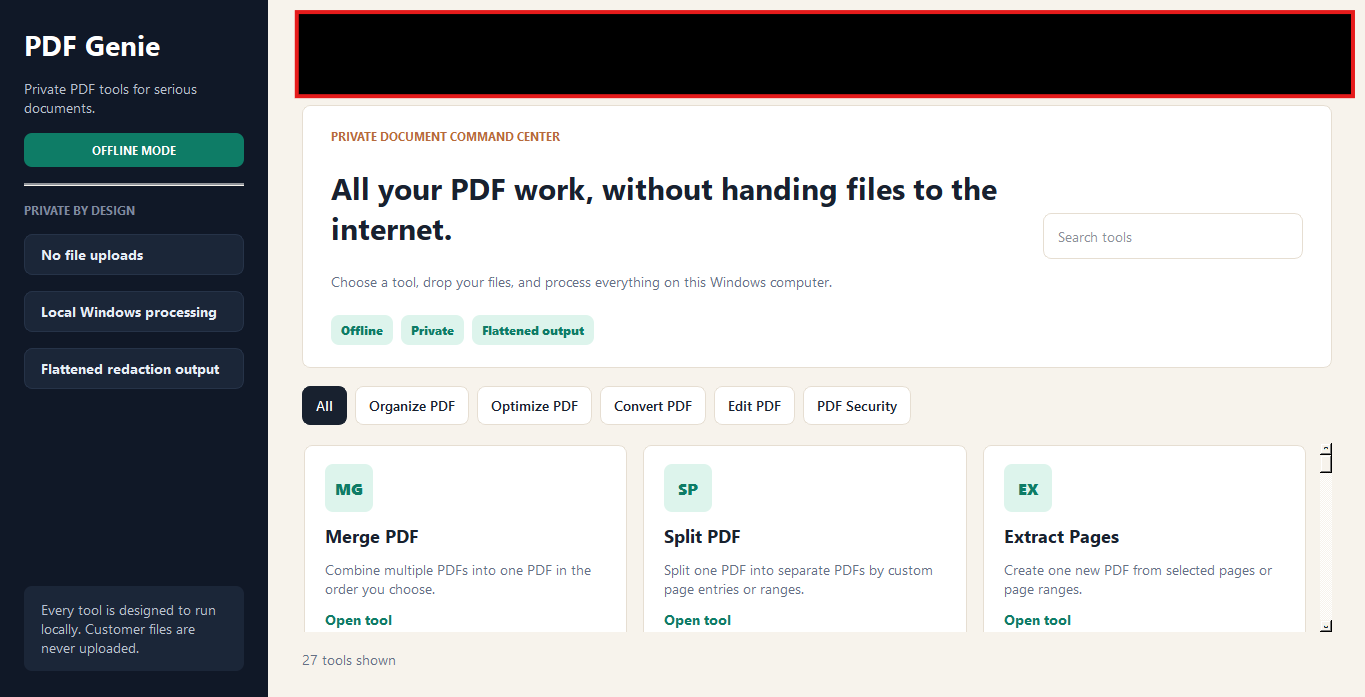
PDF Genie is a privacy-first Windows PDF toolkit that helps you work with sensitive PDFs locally on your computer.
- Works locally on your PC
- Built for sensitive PDFs
- No uploads to PDF websites
- Windows desktop software
The privacy problem
Online PDF tools are convenient, but sensitive files should stay private.
Many PDF websites require you to upload contracts, invoices, IDs, financial papers, legal documents, or client files. PDF Genie gives you a safer desktop alternative for everyday PDF work.
Confidential documents
Contracts, NDAs, legal filings, and signed agreements that should never sit on a stranger's server.
Business and client files
Invoices, proposals, financial statements, and reports tied to your customers and your reputation.
Personal records
IDs, tax forms, medical paperwork, and bank statements that simply don't belong on random websites.
Features
Everything you need for everyday PDF work.
Split PDF
Break one PDF into separate files by page or range.
Organize pages
Reorder, duplicate, or remove pages with a simple view.
Crop PDF
Trim margins or focus on the part of the page that matters.
Edit PDF
Update text, add notes, and adjust content without extras.
Redact content
Permanently hide names, numbers, and sensitive details.
Merge PDF
Combine multiple PDFs into one neatly ordered file.
Compress PDF
Shrink large files so they're easier to share or store.
Rotate pages
Fix sideways or upside-down pages in a couple of clicks.
And many more
Convert, extract, watermark, and other everyday tools.
Privacy
Your PDFs stay on your computer.
- Upload files to a website
- Wait for processing
- Download files back
- Worry about sensitive documents
- Open file locally
- Process on your Windows PC
- Save the final PDF
- Keep sensitive files private
The app
A clean desktop workflow made for normal users.
Choose a PDF tool
Pick from a clean list of focused tools — no clutter, no upsells.
Make changes visually
Edit, organize, redact, and crop with a clear desktop interface.
Save the finished file
Export the final PDF straight to a folder on your Windows PC.
Pricing
Simple pricing for serious PDF work.
FAQ